A part can be fully machinable and still be unnecessarily expensive. Most of the cost in a CNC machined part gets locked in long before the first chip is cut, during the design phase, through decisions about tolerance, geometry, and material that look harmless in CAD but translate directly into setup time, tool wear, and inspection effort on the shop floor.
According to most CNC manufacturers, nearly every machining quote can be optimized before production begins. Small design changes such as using standard tool sizes, simplifying pocket geometry, or relaxing unnecessary tolerances, can reduce machining time, improve manufacturability, and lower overall production costs without affecting part performance.
Quick Answer
The most common CNC machine part design mistakes that increase manufacturing costs include overly tight tolerances, deep cavities, thin walls, sharp internal corners, unnecessary surface finishes, excessive setups, difficult-to-machine materials, and poor feature accessibility. Optimizing these design elements can reduce machining costs by improving tool life, shortening cycle times, and simplifying production.
Key Takeaways
- Most CNC part design mistakes happen during the design stage and can significantly increase machining time, tooling costs, inspection requirements, and overall manufacturing expenses.
- Applying tight tolerances only to critical features is one of the easiest ways to reduce CNC machining costs without affecting part performance.
- Designing with standard tool sizes, practical wall thicknesses, generous corner radii, and accessible features improves manufacturability and shortens production time.
- Following Design for Manufacturability (DFM) principles before requesting a quote helps identify costly design issues early, reducing engineering revisions and avoiding unnecessary production delays.
- Working with an experienced CNC machine parts manufacturer or CNC machining services provider in China allows you to optimize part designs for cost, quality, and production efficiency before machining begins.
- A thorough DFM review before production can improve quoting accuracy, reduce scrap, minimize setup time, and lower the total cost of manufacturing custom CNC machined parts.
Why Design Decisions Drive Most of Your CNC Cost
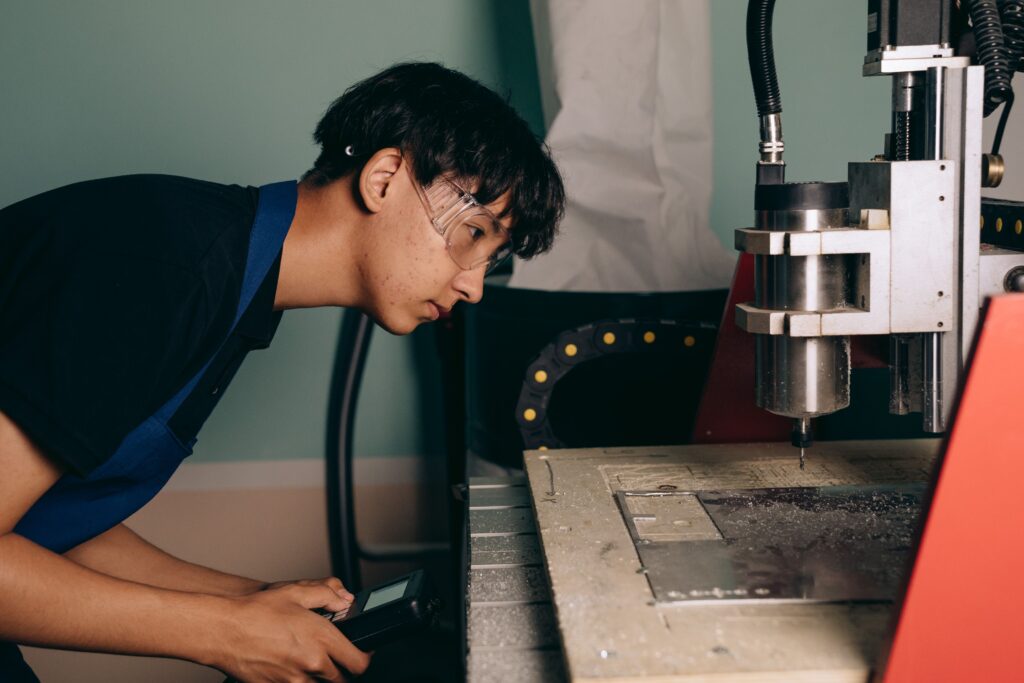
Choosing to machine a feature rather than cast it, specifying a tolerance of plus-or-minus 0.05 mm rather than 0.005 mm, or designing a shape that needs five setups rather than two, each of these decisions happens in minutes on screen and produces cost consequences that take far longer, and far more money, to change once a quote or a first production run is already underway.
15 CNC Machined Parts Design Mistakes:
1. Applying tight tolerances to every dimension
Only tolerance the features that mate, seal, or move. Over-tolerancing non-critical dimensions raises inspection time and cost without improving function.
2. Sharp internal corners
Cutting tools are round. A true 90-degree internal corner needs a slow, expensive secondary operation like EDM. Add a fillet radius matching a standard end mill instead.
3. Deep, narrow pockets
Pockets deeper than about four times their width need long, fragile tools that cut slower and deflect more. Widen the pocket or reduce the depth where function allows.
4. Walls that are too thin
Walls under roughly 0.8 mm in metal or 1.5 mm in plastic vibrate during cutting, causing chatter and dimensional drift. Thicken the wall or add ribs for support.
5. Non-standard thread sizes
A custom thread pitch means a special tap with a long lead time and a cost premium. Stick to ISO metric or ANSI standard threads whenever the design allows it.
6. Ignoring anodize or coating growth
Type II anodizing typically adds roughly 0.005 to 0.025 mm per surface, and hardcoat anodizing can add more. Tight-tolerance features near a coated surface need this growth built into the tolerance.
7. Unnecessary cosmetic complexity
Decorative contours and fine surface detail that do not serve function add programming time, tool changes, and cycle time without improving performance.
8. Poor tool access geometry
Enclosed cavities, undercuts, and multi-sided features that look fine in CAD can be difficult or impossible to reach with a rotating tool, forcing extra setups or specialized tooling.
9. Fillets that do not match standard tooling
Specifying an odd fillet radius that does not correspond to a common end mill size forces a custom tool purchase. Match fillets to standard tool diameters where possible.
10. Skipping a DFM review before finalizing the design
Catching a manufacturability issue at the design stage is far cheaper than discovering it after a quote, or worse, after a first article fails inspection.
11. Not separating critical from non-critical surfaces
Leaving every surface at the same finish and tolerance standard forces the shop to price the whole part as if it were all function-critical.
12. Choosing material based on assumption rather than requirement
Specifying a high-strength alloy because it “sounds right” rather than because the load calculation demands it inflates both material and machining cost.
13. Ignoring setup count and part orientation
Geometry that requires the part to be flipped and re-clamped several times adds programming time and introduces more opportunities for dimensional variation between setups.
14. Machining text and logos instead of using a secondary process
CNC engraving small text is slow, since a small tool must trace every line. Laser engraving as a secondary step is faster and cheaper for the same result.
15. Copying an old title block without checking its default tolerance
A default tolerance block copied from a previous, tighter-spec project can silently apply an unnecessarily tight tolerance to every unspecified dimension on a new part.
| Did You Know? The American Society for Quality’s cost of quality framework, one of the most widely referenced models in manufacturing, describes how the cost of catching and fixing a problem multiplies at each stage it goes undetected. A design flaw caught on the drawing costs very little to fix. The same flaw caught after parts are machined, or after they reach a customer, costs dramatically more, which is exactly why DFM review before quoting matters so much. |
A Quick DFM Checklist Before You Submit for Quote
- Are tight tolerances applied only to features that actually mate, seal, or move?
- Do internal corners have a fillet radius that matches a standard end mill size?
- Is every pocket depth under about four times its width?
- Are all walls thick enough to resist vibration during cutting?
- Are thread sizes standard ISO metric or ANSI, not custom pitches?
- Has anodize or coating growth been accounted for on tight-tolerance surfaces?
- Could any decorative detail be simplified without affecting function?
- Does the title block reflect this project’s actual tolerance needs, not a copied default?
Expert Insight
Reviewing incoming RFQs across telecommunications, robotics, medical device, and automotive projects under our ISO 9001:2015 and ISO 13485 quality systems, the same handful of these 15 mistakes account for the majority of avoidable cost we see on incoming drawings. At Ruiyi, our engineering team reviews geometry, tolerances, and material against what is efficient on our CNC machining centers and turning-milling composite machines before quoting, and will flag a feature that adds significant cost without a clear functional reason, rather than pricing around it silently.
Two of the most common cost drivers, unclear tolerances and material call-outs, are also what reviewers scrutinize most closely, so it helps to know what to include in your RFQ and choosing the right aluminum grade before you send your next print. Once the design is locked, reduce rework with a DFM review and check how CNC milling costs are calculated and surface processing considerations for CNC parts so nothing gets missed. Ruiyi’s cnc machining service for custom parts applies this same review to every incoming print.
Frequently Asked Questions
What is the most common CNC design mistake that increases cost?
Applying tight tolerances to every dimension on a drawing rather than only the features that are functionally critical. This single habit is responsible for a large share of avoidable cost across CNC quotes.
How much can fixing design mistakes reduce CNC machining cost?
Case studies across the industry commonly show cost reductions in the range of 20 to 45 percent once tolerance rationalization, corner radii, and pocket proportions are corrected, without any loss of part function.
Why do sharp internal corners increase machining cost?
Cutting tools are round, so a true 90-degree internal corner cannot be produced with a standard end mill. It requires a smaller tool, which cuts slower and wears faster, or a secondary operation like EDM.
What tolerance should I use if I am not sure what my part needs?
Apply a general tolerance standard to the whole part and reserve tighter tolerances only for dimensions you know are functionally critical, such as bearing fits or mating surfaces. When unsure, ask your supplier before finalizing the drawing.
Does material choice count as a design mistake?
Yes. Specifying a higher-strength alloy than the application actually requires increases both material cost and machining time without adding real value, and is one of the most common and expensive selection errors.
When should I get a DFM review done?
As early as possible, ideally before the design is finalized and definitely before it is sent out for quote. Late-stage changes after tooling or production has started cost far more to implement than the same fix made on the drawing.

Solomon Yang is a manufacturing industry professional with extensive experience in electronic, mechanical, and industrial component manufacturing. Having held various positions in American and Taiwanese manufacturing companies, he has developed a comprehensive understanding of manufacturing processes, production management, quality control, and global supply chain operations.
With expertise in business development, sales operations, international trade, customer relationship management, and engineering project support, Solomon bridges technical knowledge with commercial strategy to deliver innovative and cost-effective manufacturing solutions. He is passionate about advanced manufacturing technologies, process improvement, and continuous professional growth, with a strong commitment to creating value for customers and partners worldwide.